
The Labeling Problem Every 3D Printer Faces
You’ve printed dozens of test samples. They all look identical. Now you can’t remember which settings you used for each one. Sound familiar?
3D printing YouTuber CNC Kitchen recently explored laser marking 3d prints as a solution. His testing revealed some genuinely useful applications for hobbyists and professionals alike.
Let’s break down when lasers actually make sense for your workflow.
Why Traditional Labeling Falls Short
Embossed text on prints has limitations. Small text becomes unreadable. It adds print time. And it doesn’t work well on curved surfaces.
Markers and labels can rub off or fall away. This creates real problems for:
- Test samples and prototypes
- Parts that need version tracking
- Items requiring permanent identification
- Professional deliverables for clients
What Laser Marking Actually Does
Laser marking burns or ablates the surface of your print. It creates permanent, high-contrast text and graphics. The mark won’t wear off during handling.
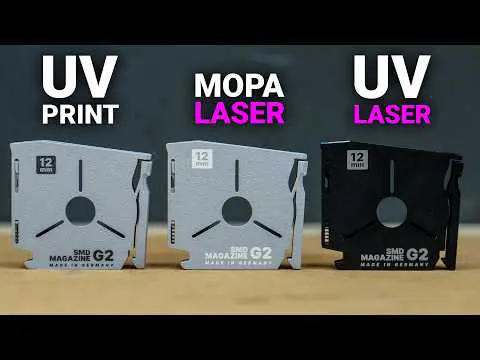
CNC Kitchen tested both infrared and UV laser systems. Each works differently on various materials.
Material Compatibility Results
Not every filament responds well to laser marking. Here’s what the testing revealed about common materials.
Materials That Work Well
PLA marks beautifully with IR lasers. The beam creates dark, readable text on light-colored filaments. PETG also responds predictably.
Dark materials present challenges. The laser can’t create visible contrast on black PLA. You’ll need lighter colors for best results.
The UV Laser Advantage
UV lasers work through a different mechanism. They can mark materials that IR lasers struggle with. This includes some engineering plastics.
If you’re working with stronger 3D printing materials, UV marking may offer better compatibility.
Practical Applications Worth Considering
Where does laser marking actually add value? CNC Kitchen highlighted several scenarios.
- Adding QR codes linking to documentation
- Marking batch numbers on production parts
- Creating professional logos on finished products
- Labeling test samples with exact parameters
- Adding safety warnings or instructions
Integration With Your Workflow
Modern laser systems can read files directly from your slicer. Export the build plate layout. The laser knows exactly where each part sits.
This automation reduces manual positioning errors. It makes batch marking genuinely practical.
Cost and Complexity Considerations
Laser systems aren’t cheap. The XTool F2 Ultra tested costs several thousand dollars. That’s a significant investment for hobbyists.
For occasional labeling needs, embossed text still makes sense. Consider proper part orientation to make embossed details more readable.
When Professional Services Make Sense
Need a few parts with professional marking? Outsourcing might be smarter than buying equipment. Services like JawsTec’s quote system can help you evaluate options for finished parts.
Key Takeaways
Laser marking solves real problems for the right applications. It’s overkill for casual hobbyists. But professionals and serious makers should consider it.
Light-colored PLA and PETG work best with IR lasers. UV lasers expand material compatibility. Automation features make batch processing practical.
Start by identifying your actual labeling pain points. If permanent, professional marking matters to your work, lasers deliver.
Sources
Source: Is This Laser the 3D Printing Solution We Needed? by CNC Kitchen (YouTube) — https://www.youtube.com/watch?v=jA-E5CGcBxI